> For the complete documentation index, see [llms.txt](https://imbrace.gitbook.io/imbrace-documentation/llms.txt). Markdown versions of documentation pages are available by appending `.md` to page URLs; this page is available as [Markdown](https://imbrace.gitbook.io/imbrace-documentation/integrations/trello.md).
# Trello
[Trello](https://trello.com/) is a web-based Kanban-style list-making application which is a subsidiary of Atlassian. Users can create their task boards with different columns and move the tasks between them.
## Account integration using Access Token
To begin, you will need:
* A [Trello](https://trello.com/) account.
**STEP 1:** Go to [Trello API Key Portal](https://trello.com/app-key), the page will show 404s error if you’re not signed into Trello.
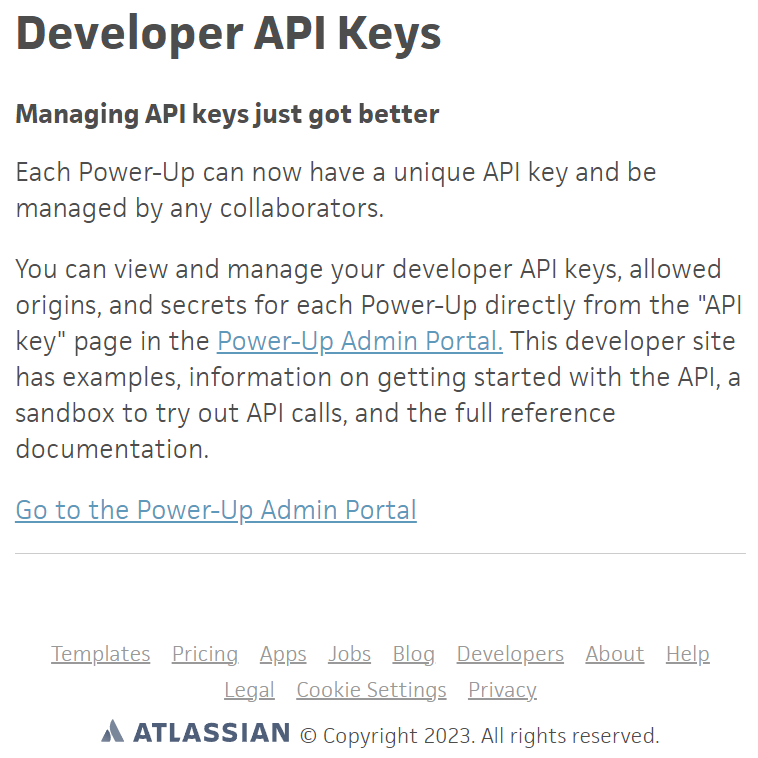 **STEP 2:** Click the **\[Go to the Power-Up Admin Portal].**
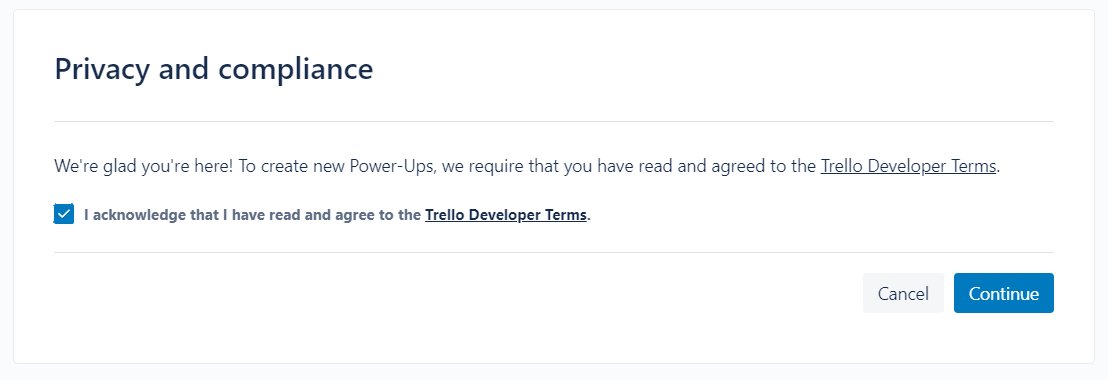
**STEP 3:** In Power-Up Admin Portal, check the **acknowledgement** and click **\[Continue]** button.
**STEP 2:** Click the **\[Go to the Power-Up Admin Portal].**
**STEP 3:** In Power-Up Admin Portal, check the **acknowledgement** and click **\[Continue]** button.
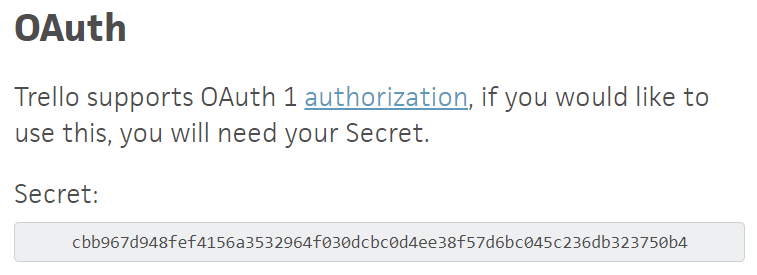
 **STEP 4:** Go back to the [Trello API Key Portal](https://trello.com/app-key), the **API Key** and **OAuth Secret** will be shown below.
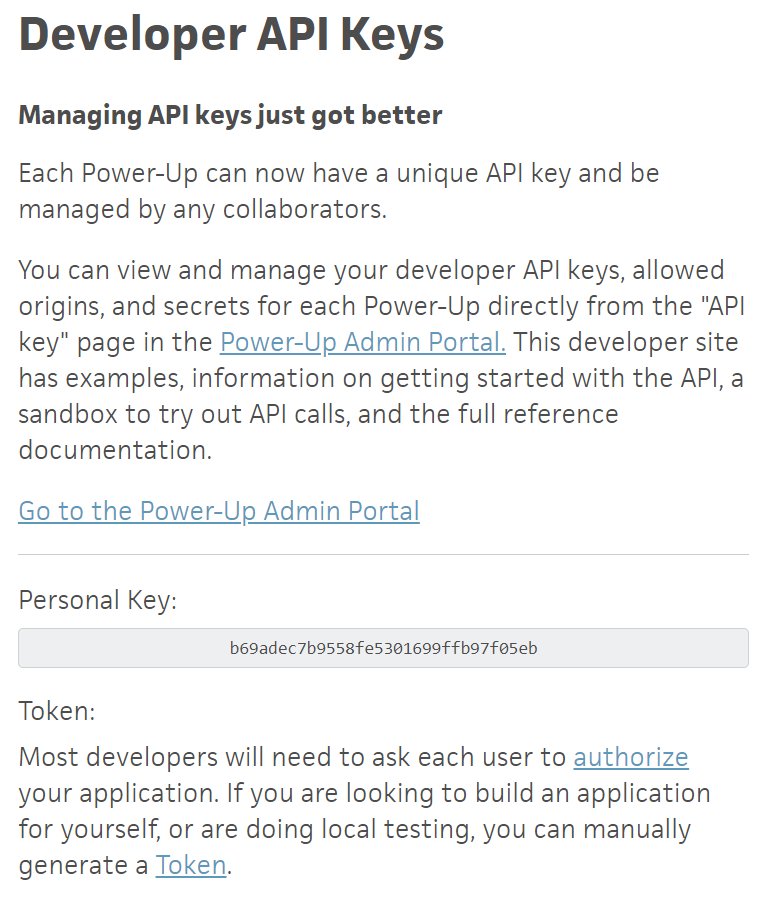
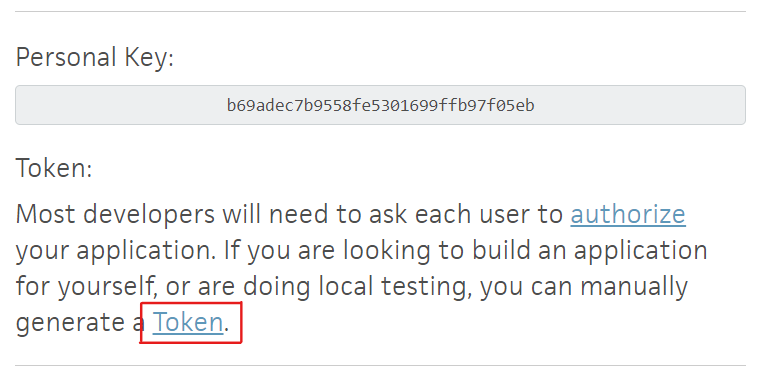
 **STEP 5:** For the **API Token**, click the **\[Token]** right below the **API Key** and it will navigate to the authorize page.
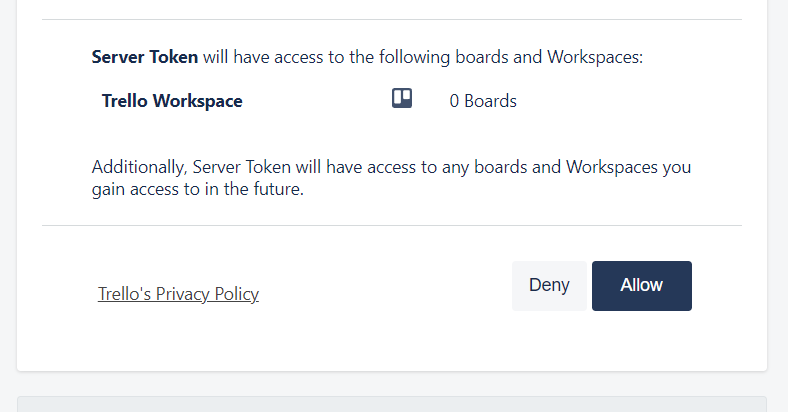
 **STEP 6:** In the authorize page, click the **\[Allow]** button.
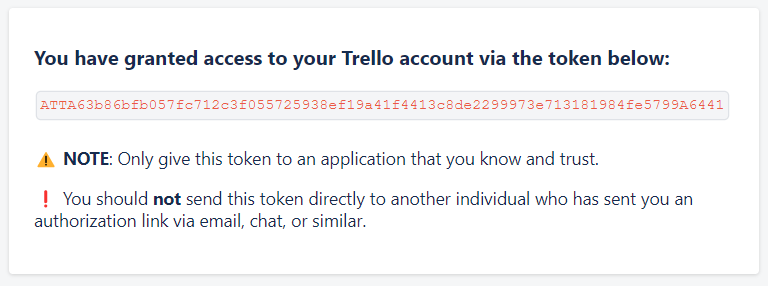
 **STEP 7:** Copy the **API Token** which is presented.
 **STEP 8:** In iMBrace, create a new Trello API credential and paste **API Key**, **API Token**, **OAuth Secret** and click **\[CREATE]** button.

**DONE:** The credential can then be used for Trello nodes.
**STEP 8:** In iMBrace, create a new Trello API credential and paste **API Key**, **API Token**, **OAuth Secret** and click **\[CREATE]** button.

**DONE:** The credential can then be used for Trello nodes.